Product

Everything an agency runs on, in one place

Listings, contacts, matching, campaigns, deals and the numbers, built as one product for agencies of five to fifty.

Properties and listings

One record for the building, every unit under it

Create a property, its units and its listings in one flow, and let the AI write the title and description on the way.

  • Bulk-create units for a launch: towers × floors × units, batch-edit in one table
  • Card, table and kanban views; add, remove and reorder table columns
  • Unit status per property: available, reserved, sold
More about properties and listings
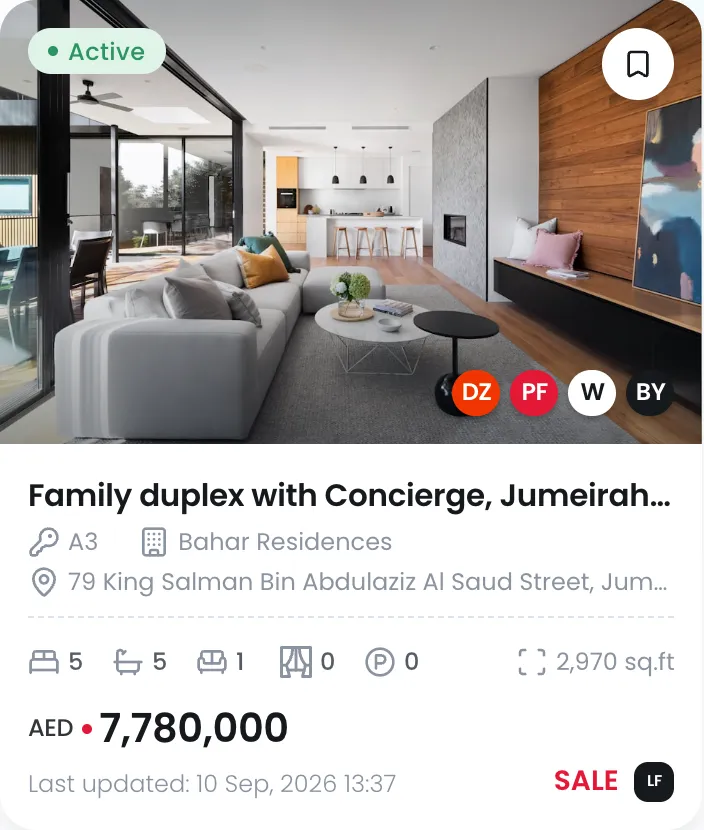
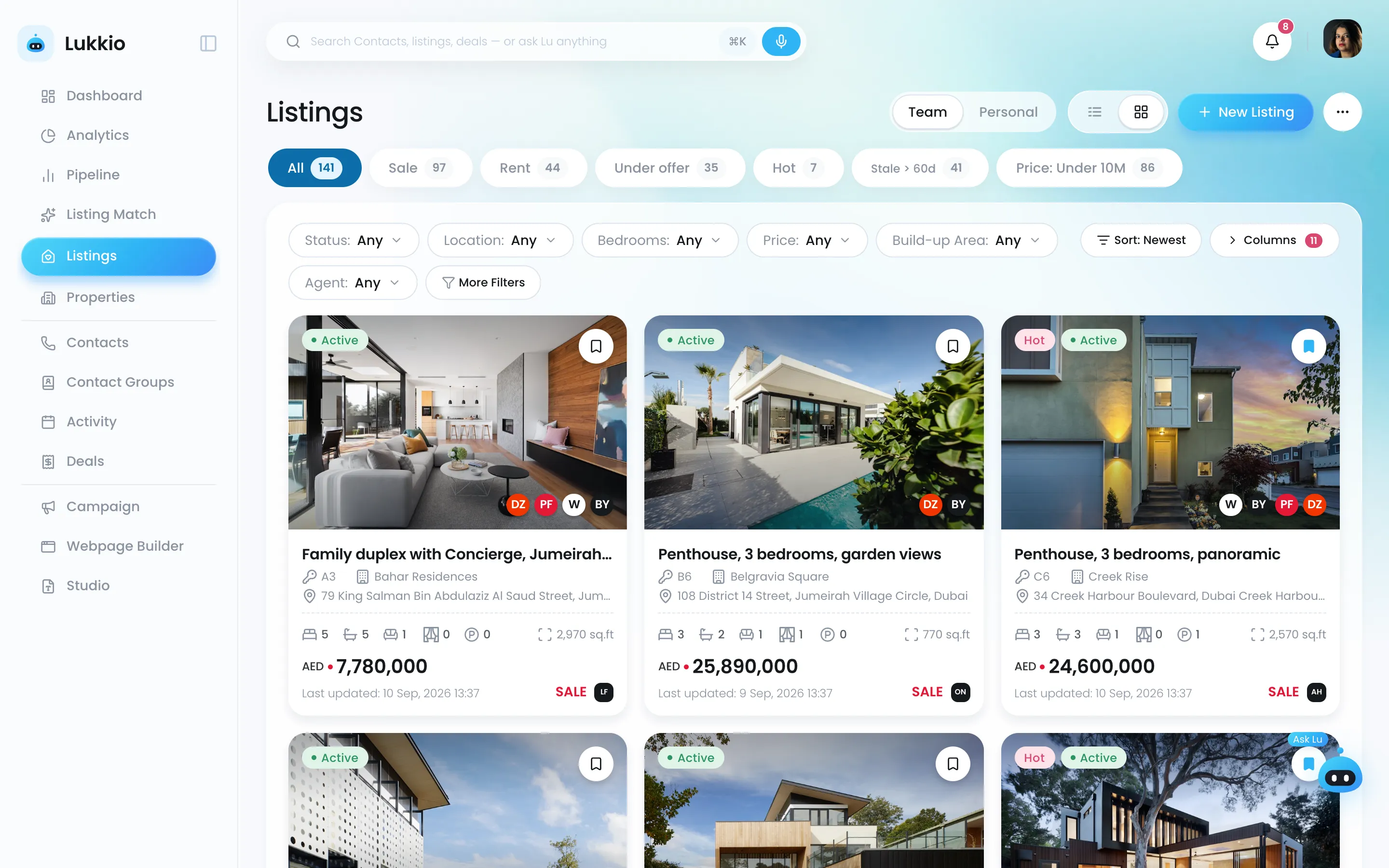
Listings in card view with photos, price and portal badges
One listing card: photo, portal badges, beds, baths, size and the AED price
Portal publishing

Publish once, everywhere you list

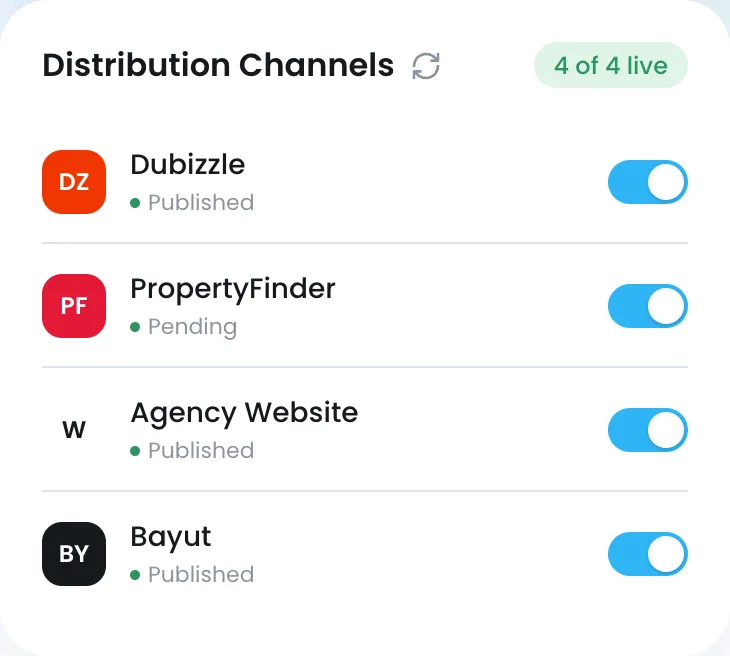
Every portal you use, fed from one hub. Tune the title and description per portal, keep drafts until you are ready, and see what is live.

  • Property Finder, Bayut, Dubizzle and more, from one listing record
  • Per-portal title and description for better ranking
  • Sync status per portal: live, pending, expired
More about portal publishing
  • Property Finder
  • Bayut
  • Dubizzle
  • 28HSE
  • Squarefoot
  • Your website
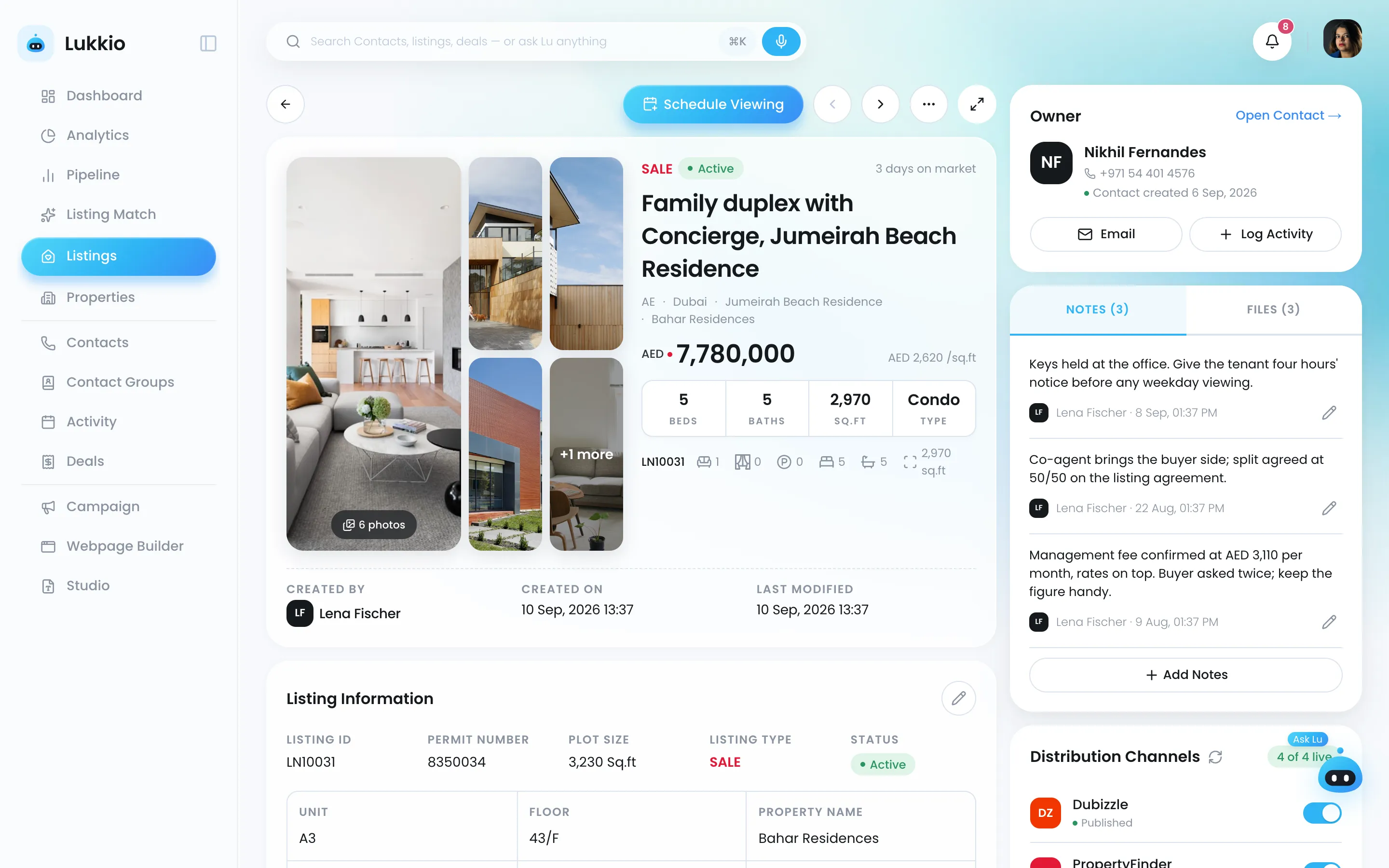
A listing record with photos, price, facts and the owner panel
Distribution channels: Dubizzle, PropertyFinder, the agency website and Bayut, four of four live
Contacts

Every buyer, seller and landlord, profiled and ready

Ten preference factors on each contact, roles for buyer, tenant, landlord and landlord-buyer, and a timeline of every call, viewing, email, note and task.

  • Duplicates caught when a contact is created
  • Who sees which contact is set by role
  • AI drafts the outreach email in your tone; templates for the rest
More about contacts
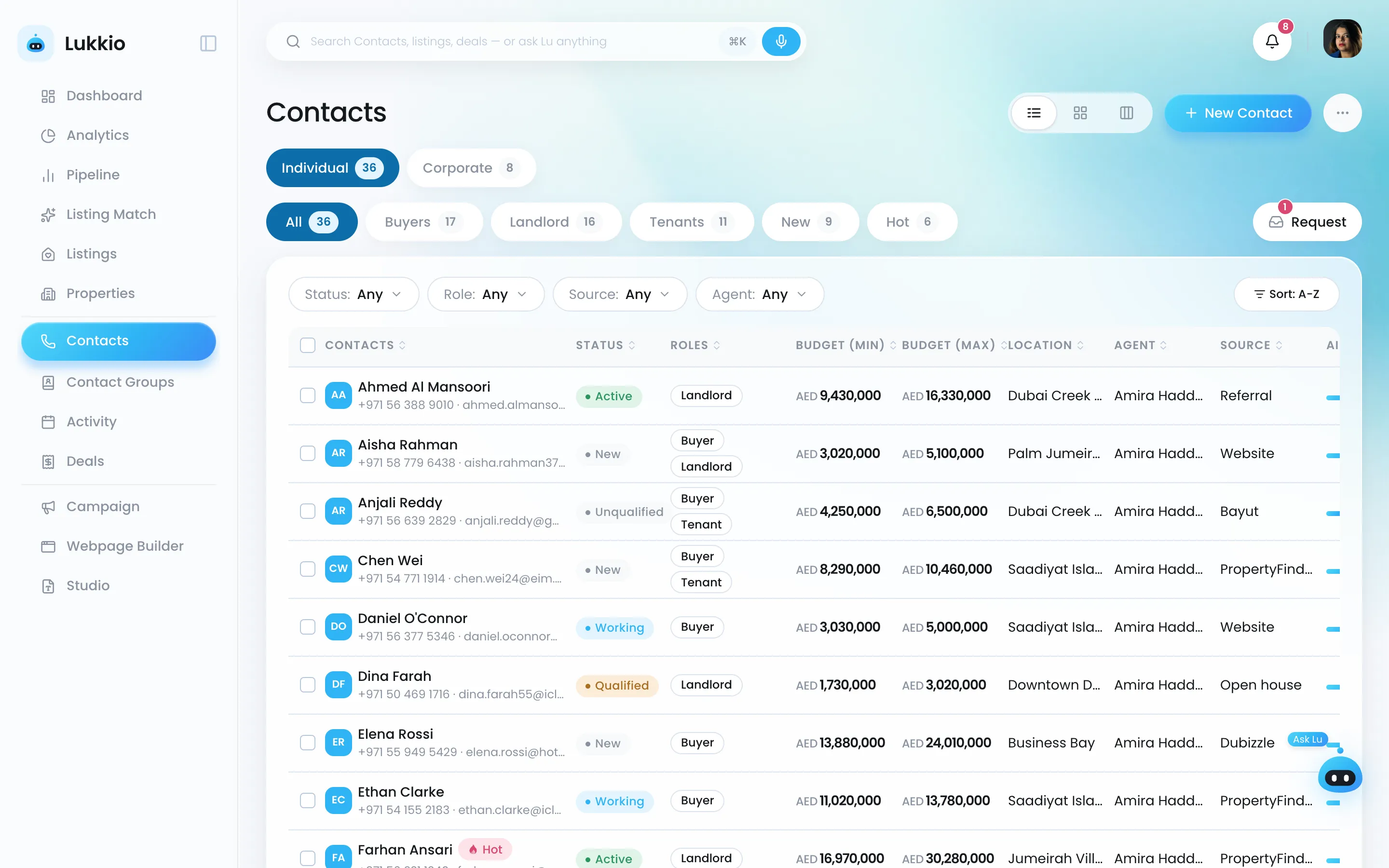
The contacts table with status, roles, budget in AED, location, agent and source
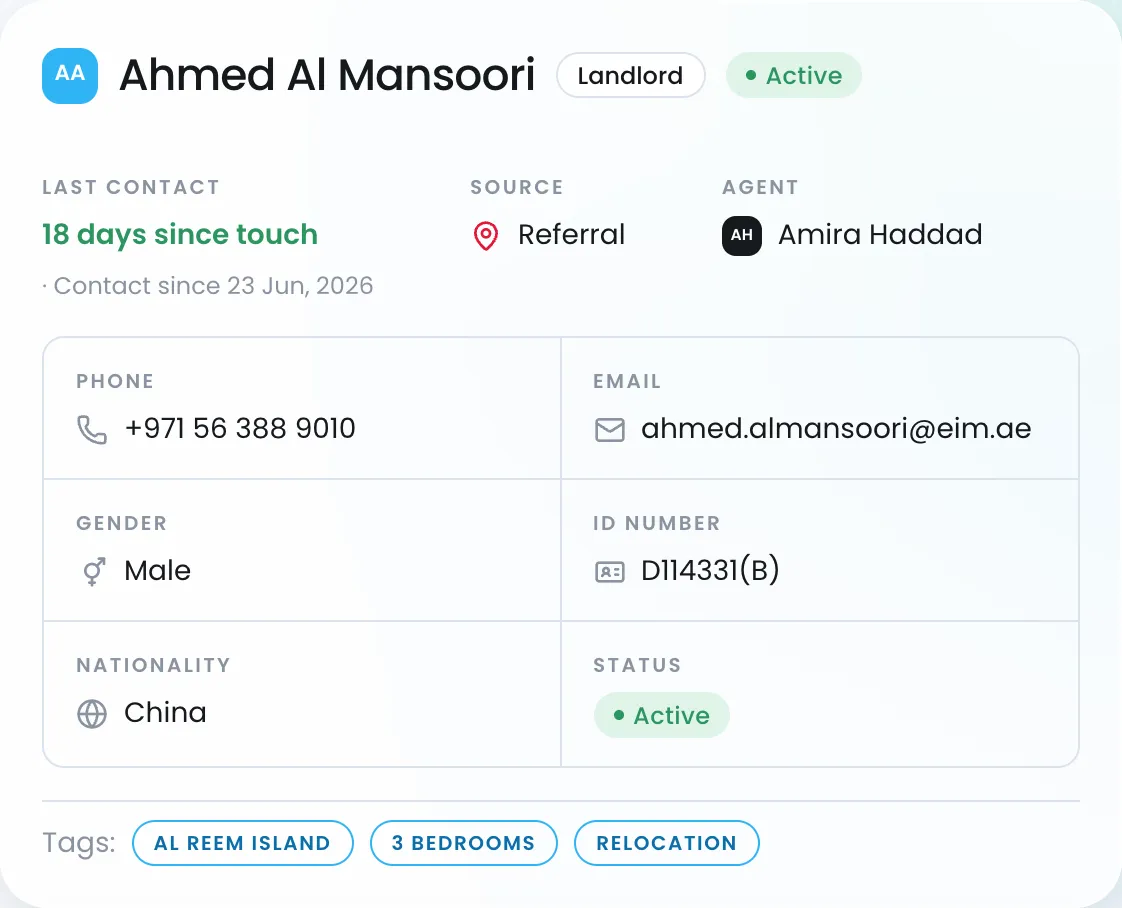
A landlord's contact card: last touch, source, agent, phone, email and tags
AI Match

The right buyer for the listing, scored in real time

Budget, size, location and ten weighted soft criteria on the contact; every listing scored against every buyer and recalculated as data changes.

  • View by listing: contacts ranked by match %
  • View by contact: listings ranked by match %
  • Manual shortlists in folders sit beside the AI results
More about ai match
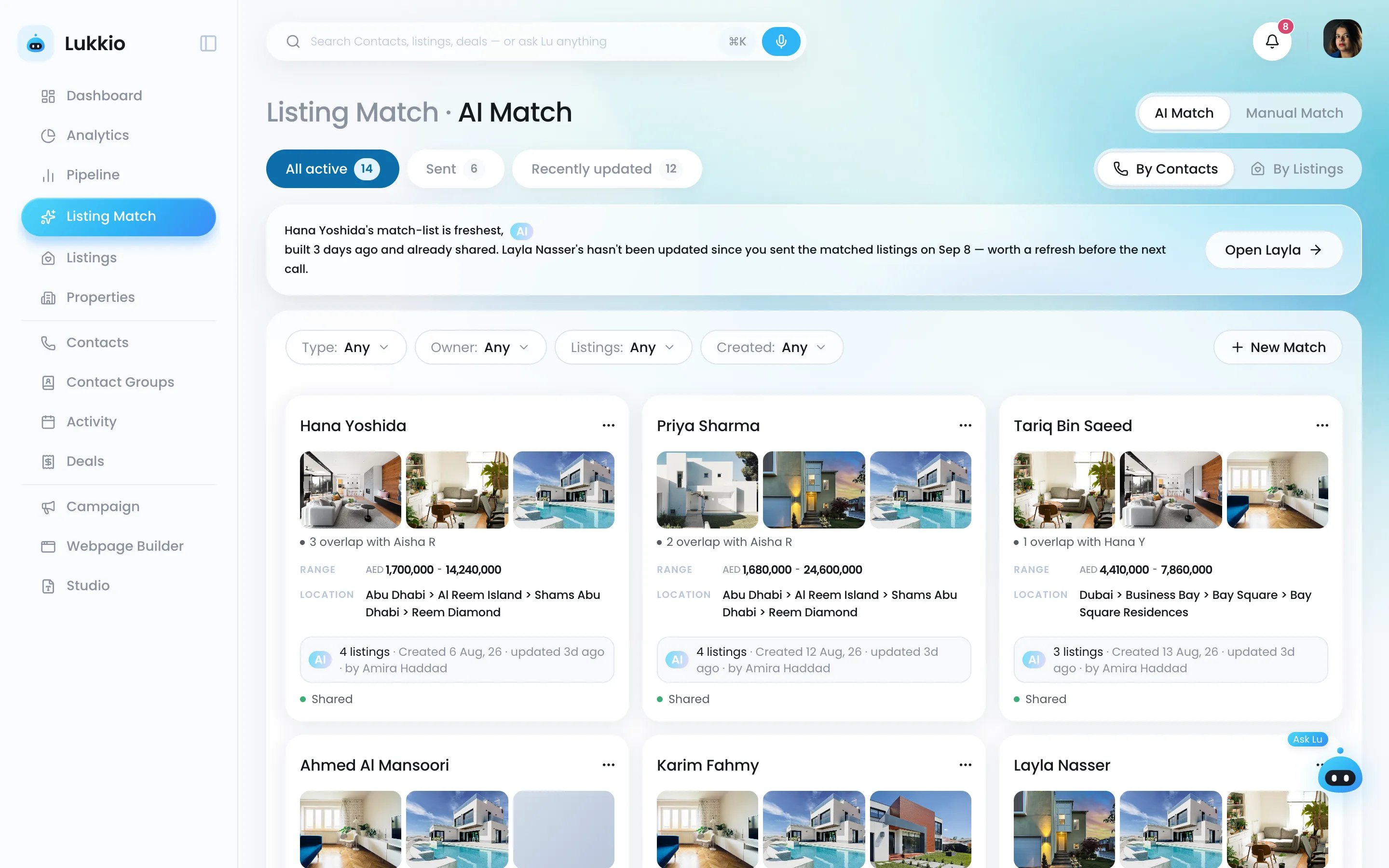
AI Match with a card per buyer and the listings that fit
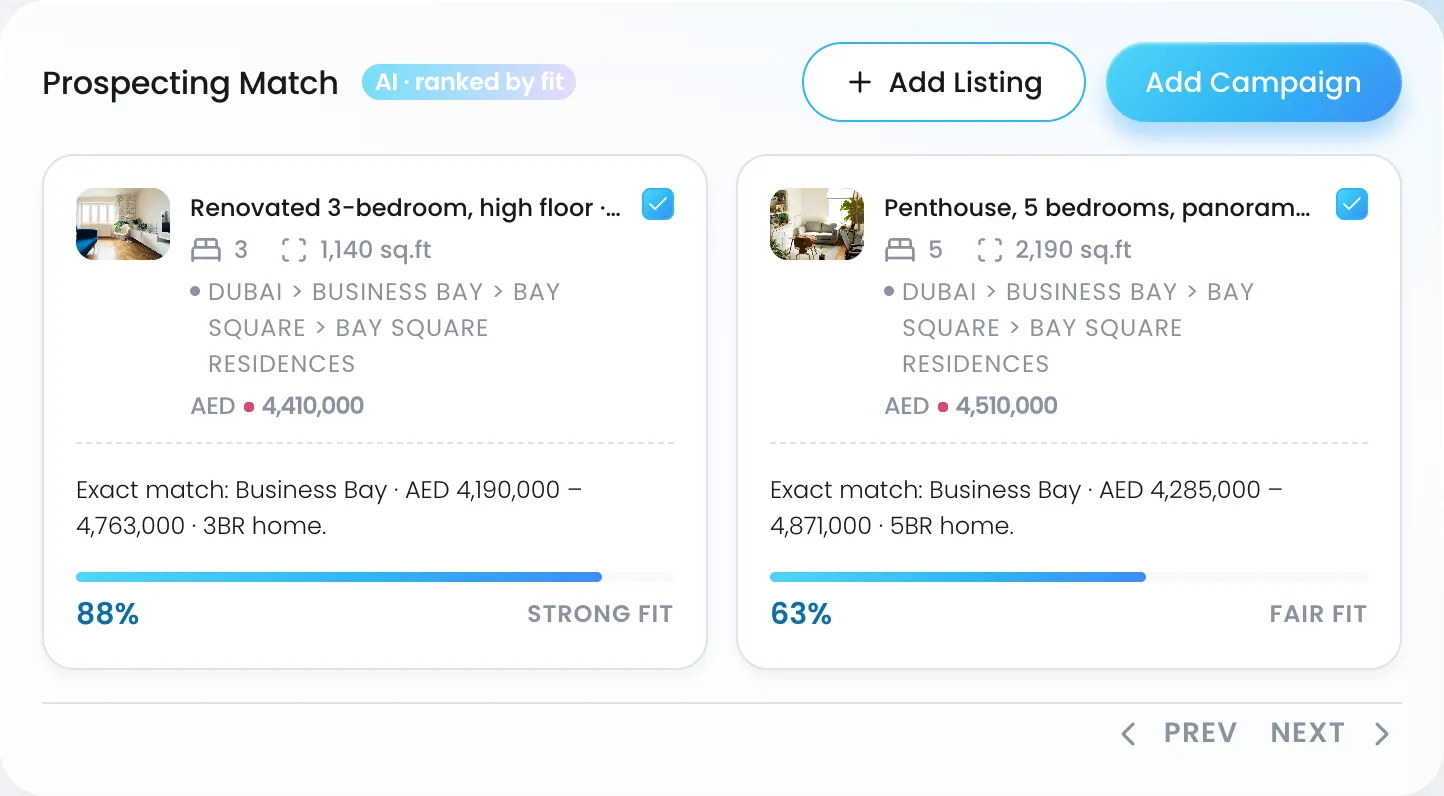
Two listings scored against a buyer: 88 percent strong fit and 63 percent fair fit
Campaigns

From a shortlist to a sent email without leaving Lukkio

Pick the matched contacts and listings, describe the email, and the AI drafts it in your tone. Templates cover the usual sends.

  • Shareable listing page that takes viewing requests
  • Opens, clicks and unsubscribes per recipient
  • Table and kanban views of every campaign
More about campaigns
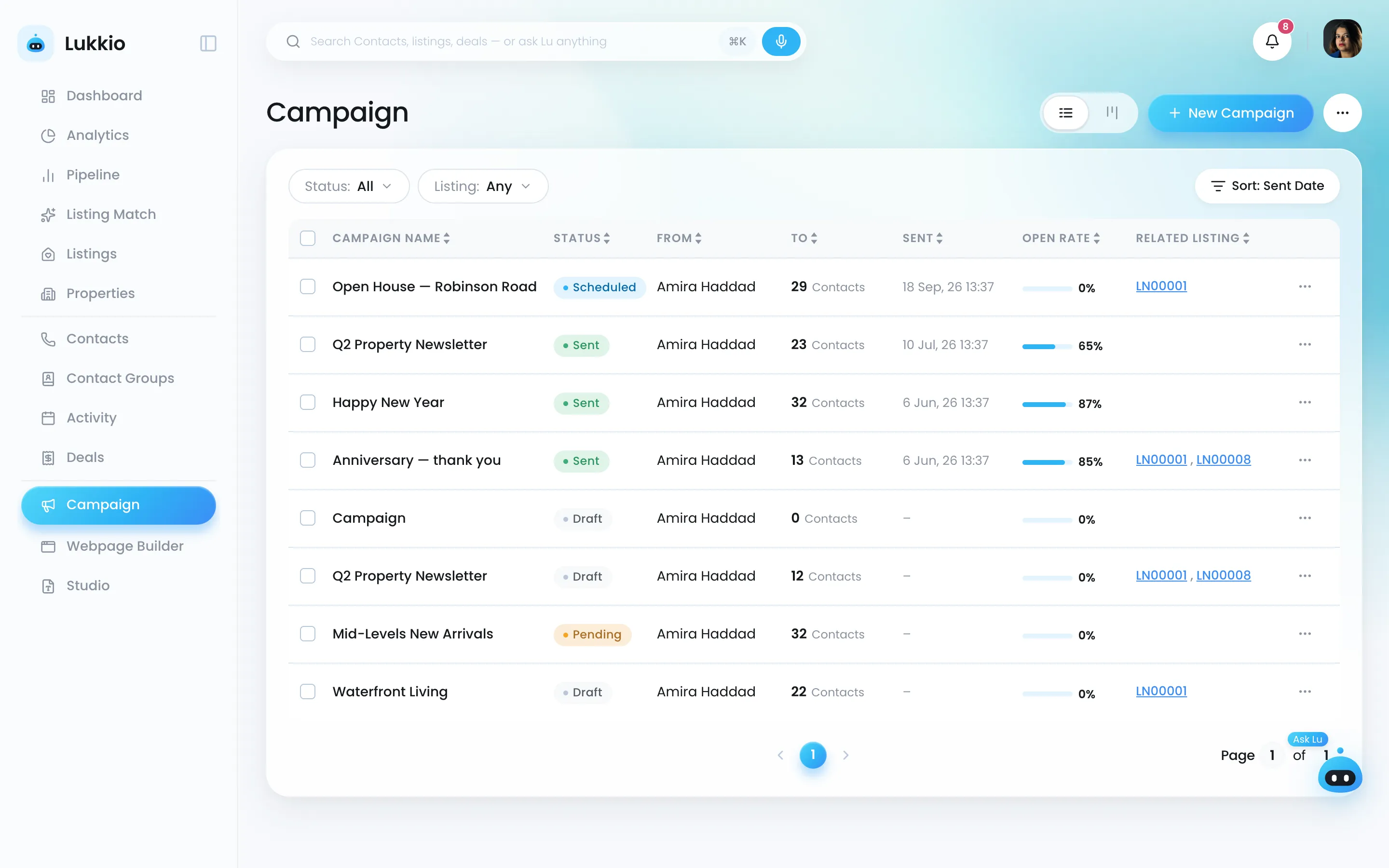
The campaign list with status, sender, recipients, sent date and open rate
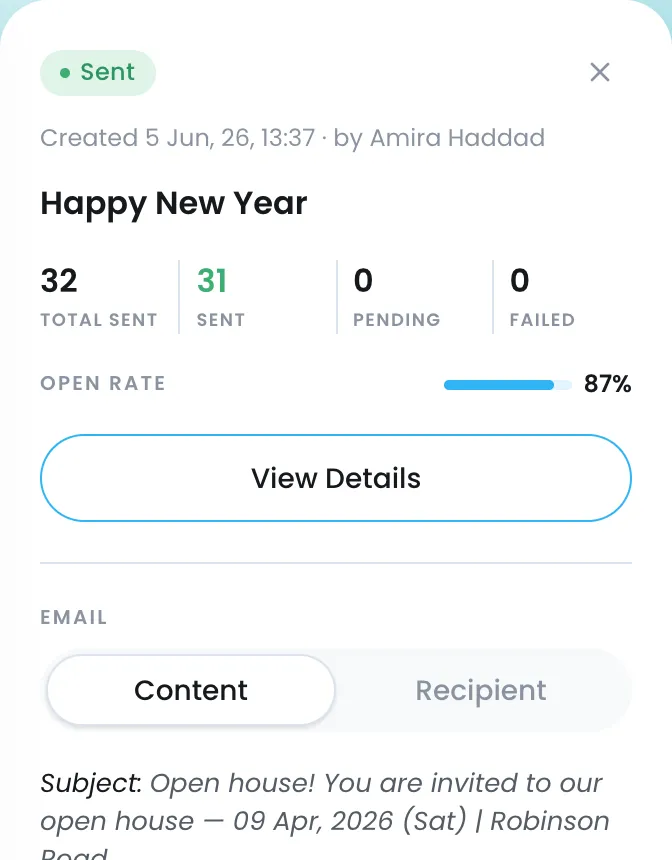
A sent campaign: 32 sent, 31 delivered, 87 percent open rate
Deals and activities

Every deal from first contact to keys

A kanban by stage, the full deal record with contacts, listing, documents and offers, and reminders on deals that go quiet.

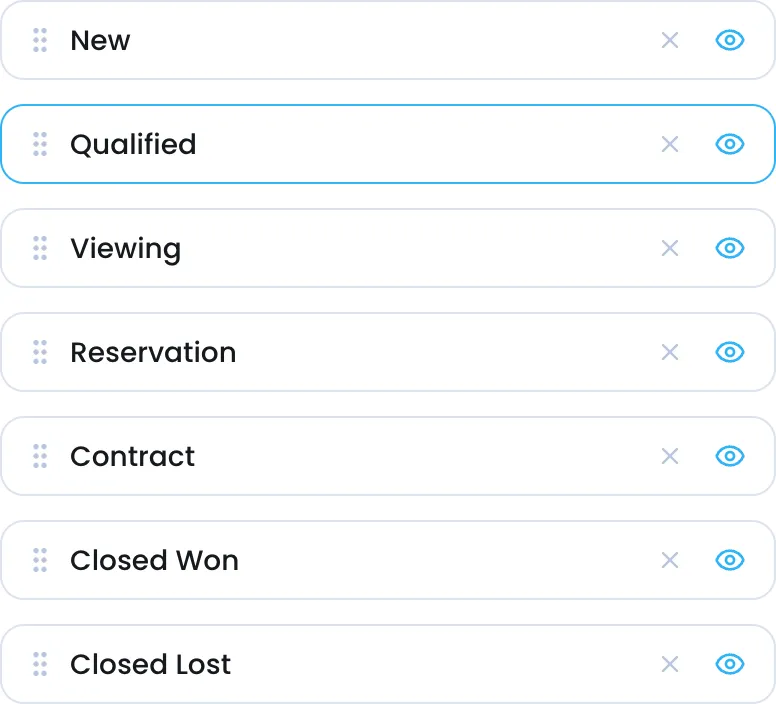
  • Stages renamed and reordered per company, live immediately
  • New-development and resale deal flows; offer create, accept, reject
  • One calendar and one table for viewings, calls, tasks and meetings
More about deals and activities
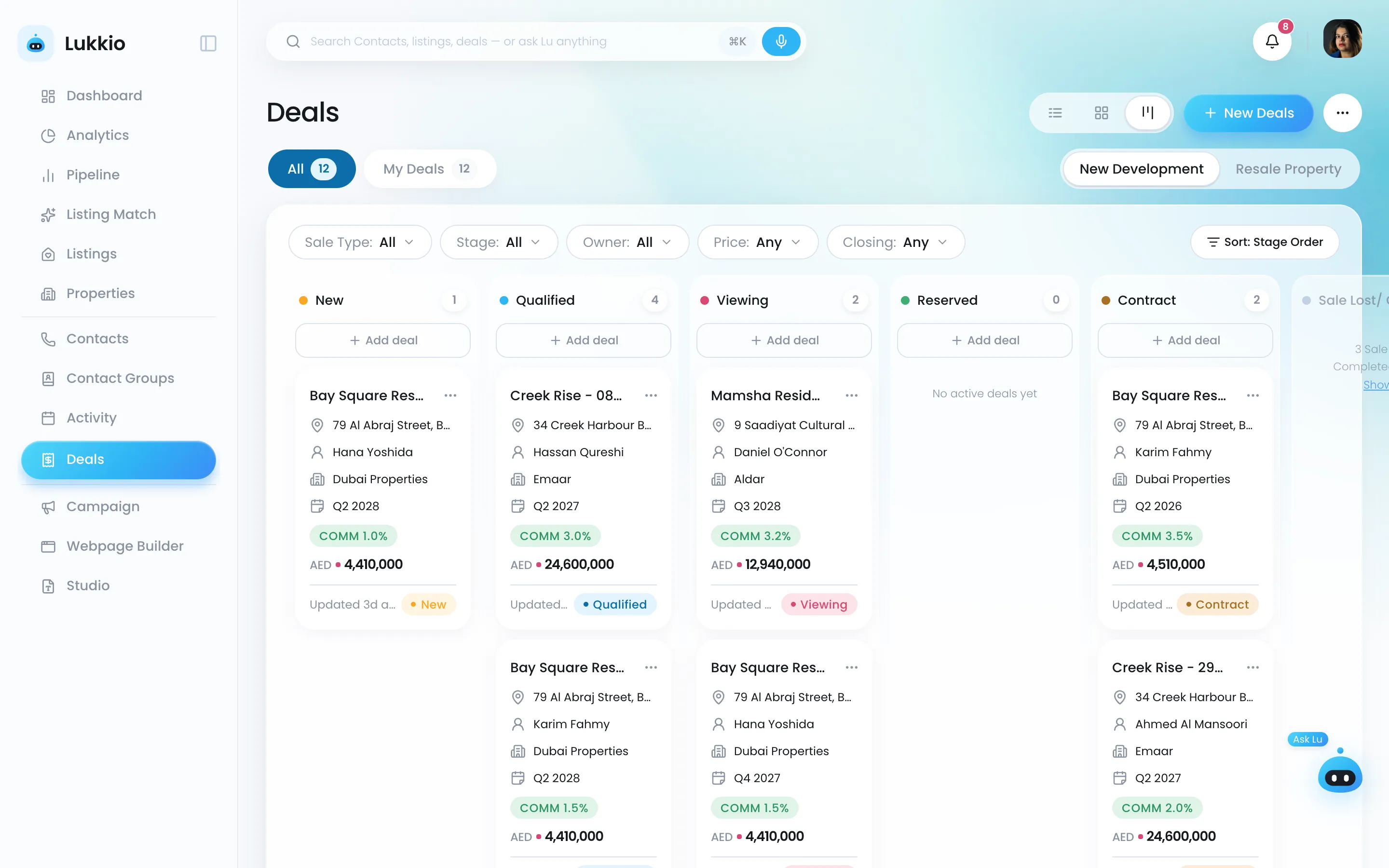
The deals pipeline in kanban view, one column per stage
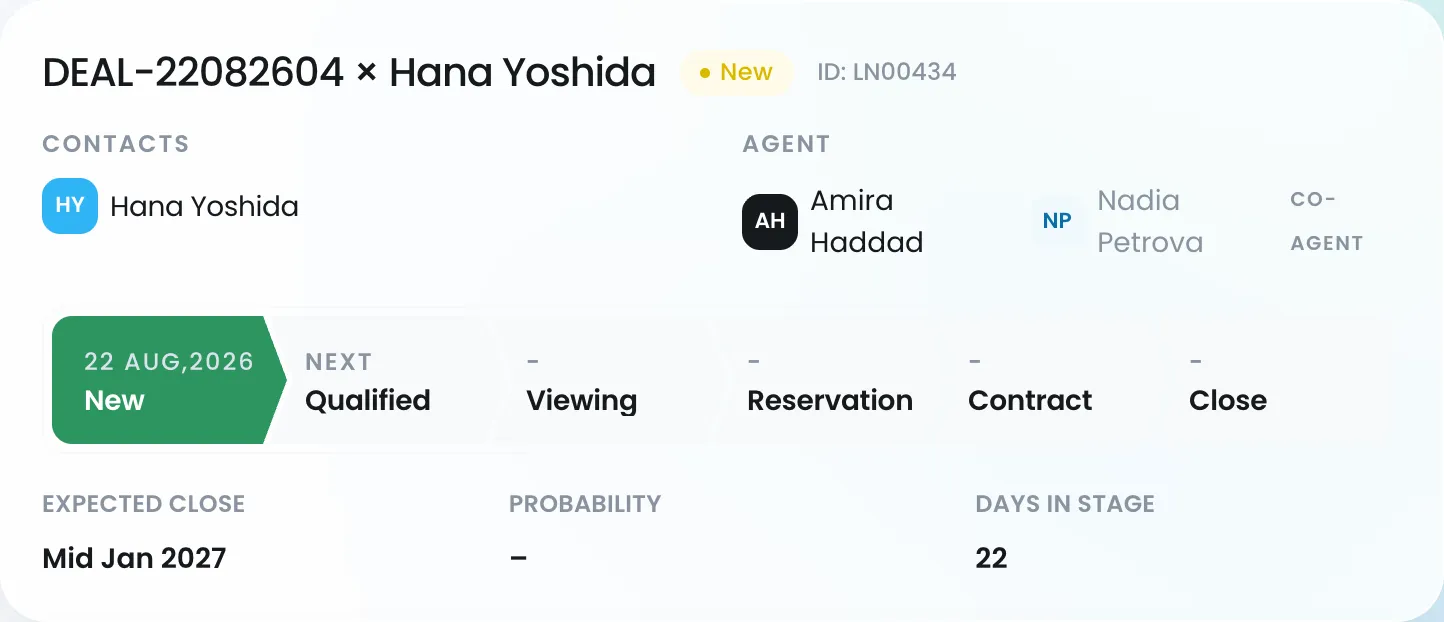
A deal record with its stage timeline from New to Close, expected close and days in stage
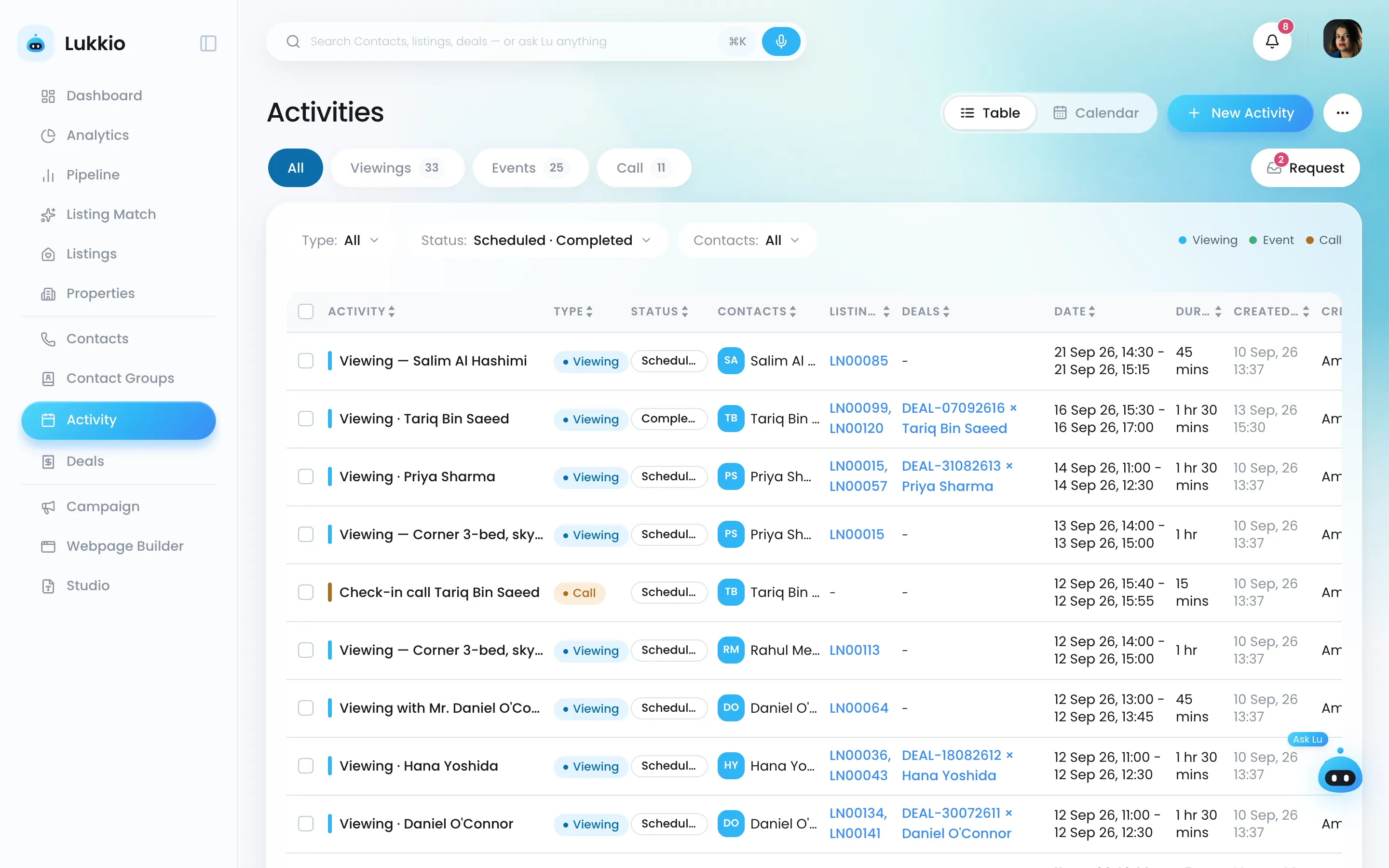
The activities calendar with viewings, calls and events
Today's schedule: an 11:00 viewing with Priya Sharma, scheduled
Analytics

The floor's numbers without the weekly report

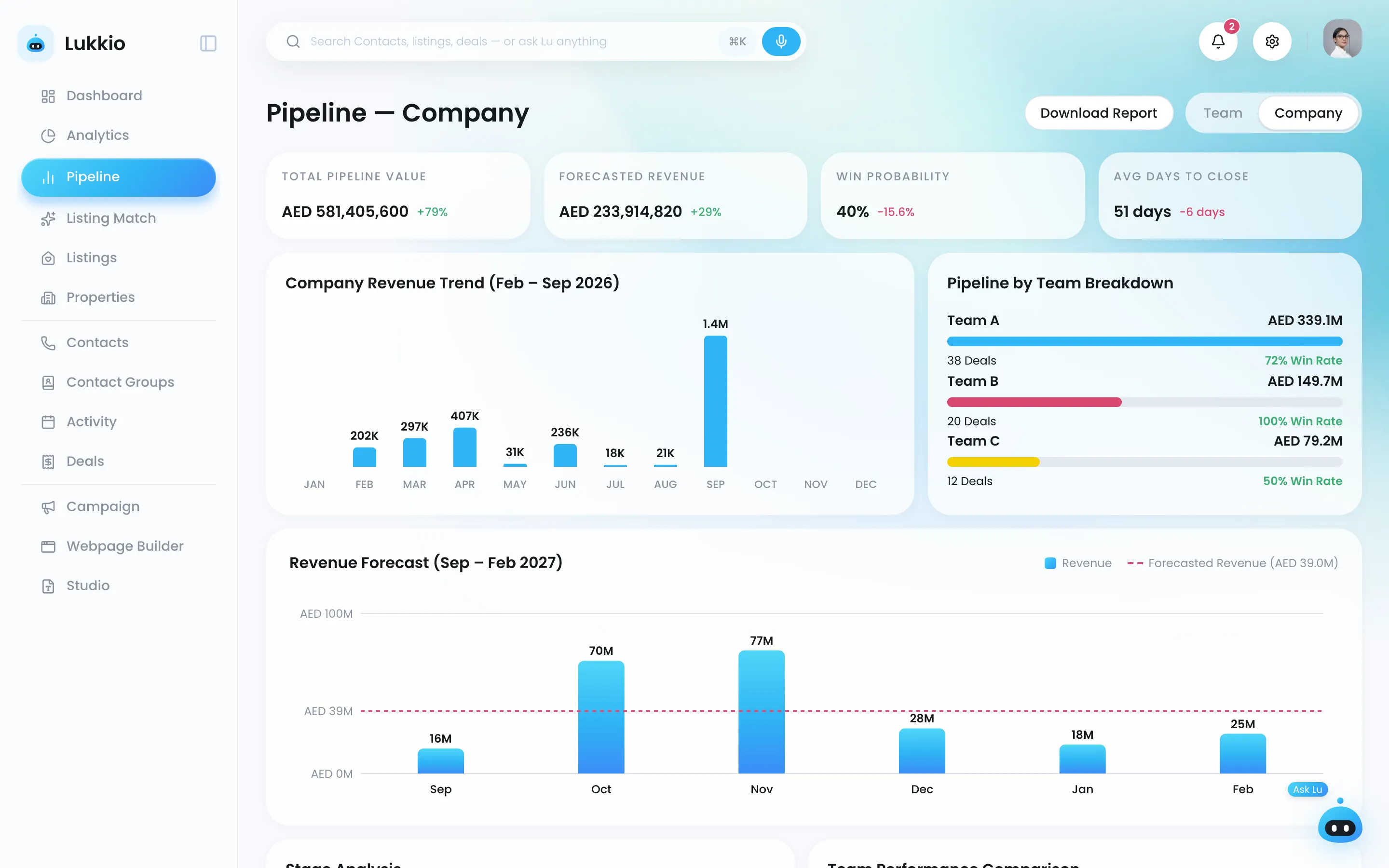
Dashboards for agent, team lead and admin, and a pipeline view from one agent up to the whole company.

  • Pipeline value, deals by stage, average deal size, projected close dates
  • Team ⇄ personal switch on the dashboard
  • Bottlenecks visible per stage and per agent
More about analytics
The company pipeline page: pipeline value, forecast, win probability and revenue trend
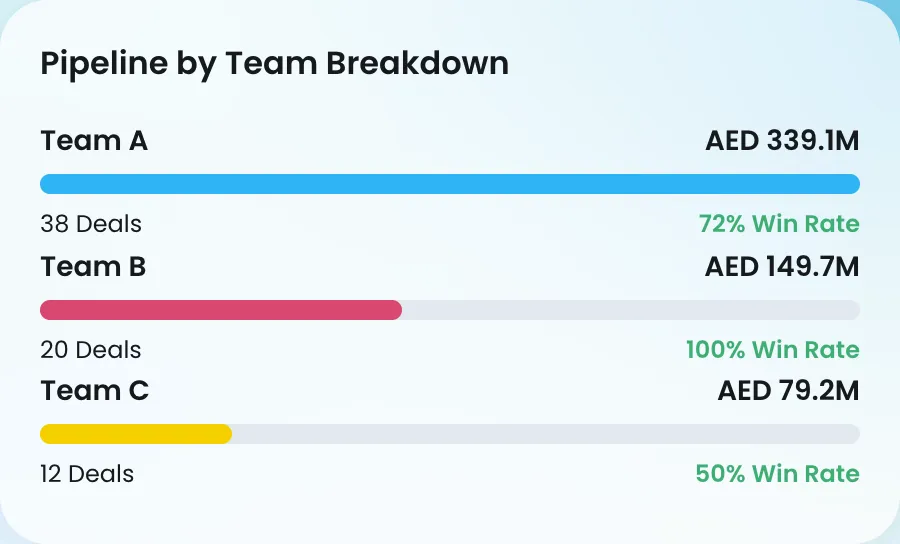
Pipeline by team: value, deals and win rate for teams A, B and C
Settings

Set it up once, in an afternoon

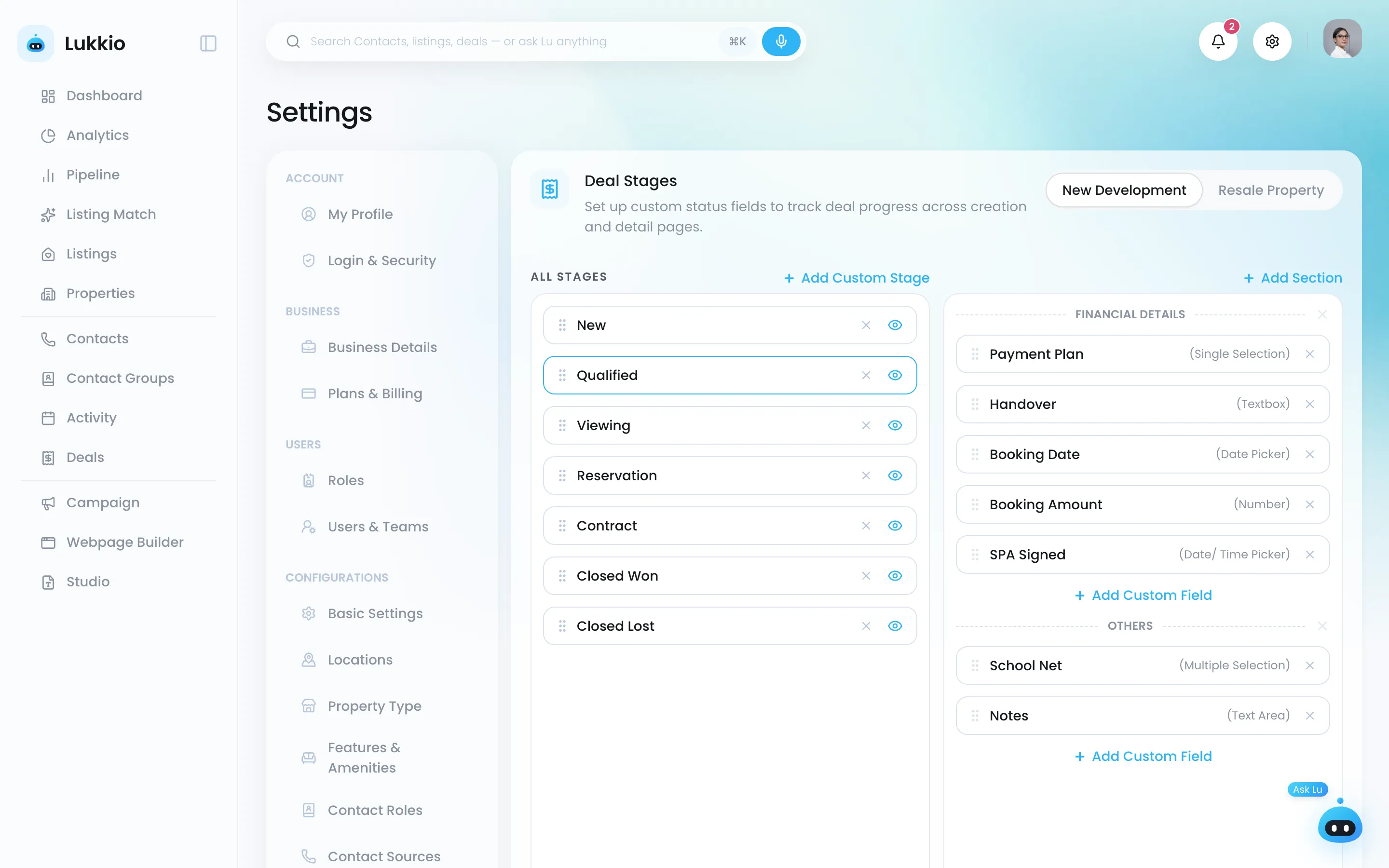
Roles with permissions per module, users and teams, deal stages, contact roles, locations, property types, brand colour and font, and your email account.

  • Location hierarchy up to four levels
  • Custom fields per deal stage and per contact role
  • Monthly or yearly plan from Settings
More about settings
Settings: deal stages with custom fields per stage
The stage list: New, Qualified, Viewing, Reservation, Contract, Closed Won, Closed Lost

Coming next

After launch

  • October Studio Viewing sheets, flyers and brochures on your brand
  • October Lead pages Pages that capture viewing requests, from templates
  • October Import from a spreadsheet Contacts and listings in from CSV
  • Later Voice Tell Lu what happened instead of typing it

Start free today

14 days of everything, then a free plan that stays free.

Start free