
A contact’s role decides which profile Lukkio keeps for them, and the profile is what AI Match reads. Knowing what each field does helps you decide what to ask on the first call.
Four default roles, plus your own
Lukkio has four default roles: Buyer, Tenant, Landlord and Developer. Your agency can add custom roles too. A person can hold more than one role at once: someone selling their villa and buying a flat is a landlord and a buyer on the same record. Each role gets its own tab on the contact page, As Buyer or As Landlord, with its own profile underneath.
The buyer profile
Budget range and Size Range are required, because AI Match needs them.
| Field | What AI Match does with it |
|---|---|
| Budget range | Compares the listing price. Slightly above the top of the range can still show if everything else fits. |
| Size Range | Compares the listing’s size. |
| Preferred Location | Ranks listings in the client’s areas first. |
| Preferred Property Type | Apartment, villa, townhouse and so on. |
| Bedroom, Bathroom, Living room, Balcony, Car park | Checks the layout. |
| Features & amenities | The must-haves: sea view, pet-friendly, gym, high floor. |
Usage and Preferred Move-in Date tell you how ready the client is, and Preferred viewing days saves a call when you book a viewing.
The tenant profile
A tenant holds the same fields as a buyer, with the budget being the rent they can pay.
The landlord profile
A landlord is not looking for a home, so the profile is short: Type (Sale or Rent), Preferred Viewing Days so you know when viewings can happen, and Listing Preference for the landlord’s listings. For a landlord, AI Match works the other way round. The Prospect Match on their page shows the buyers or tenants whose profile fits, ready to add to a campaign.
The developer role
A developer has no built-in profile, only custom fields. Your agency adds them under Settings → Contact Roles. See Set up your agency’s lists and AI writing style.
Where the profile lives
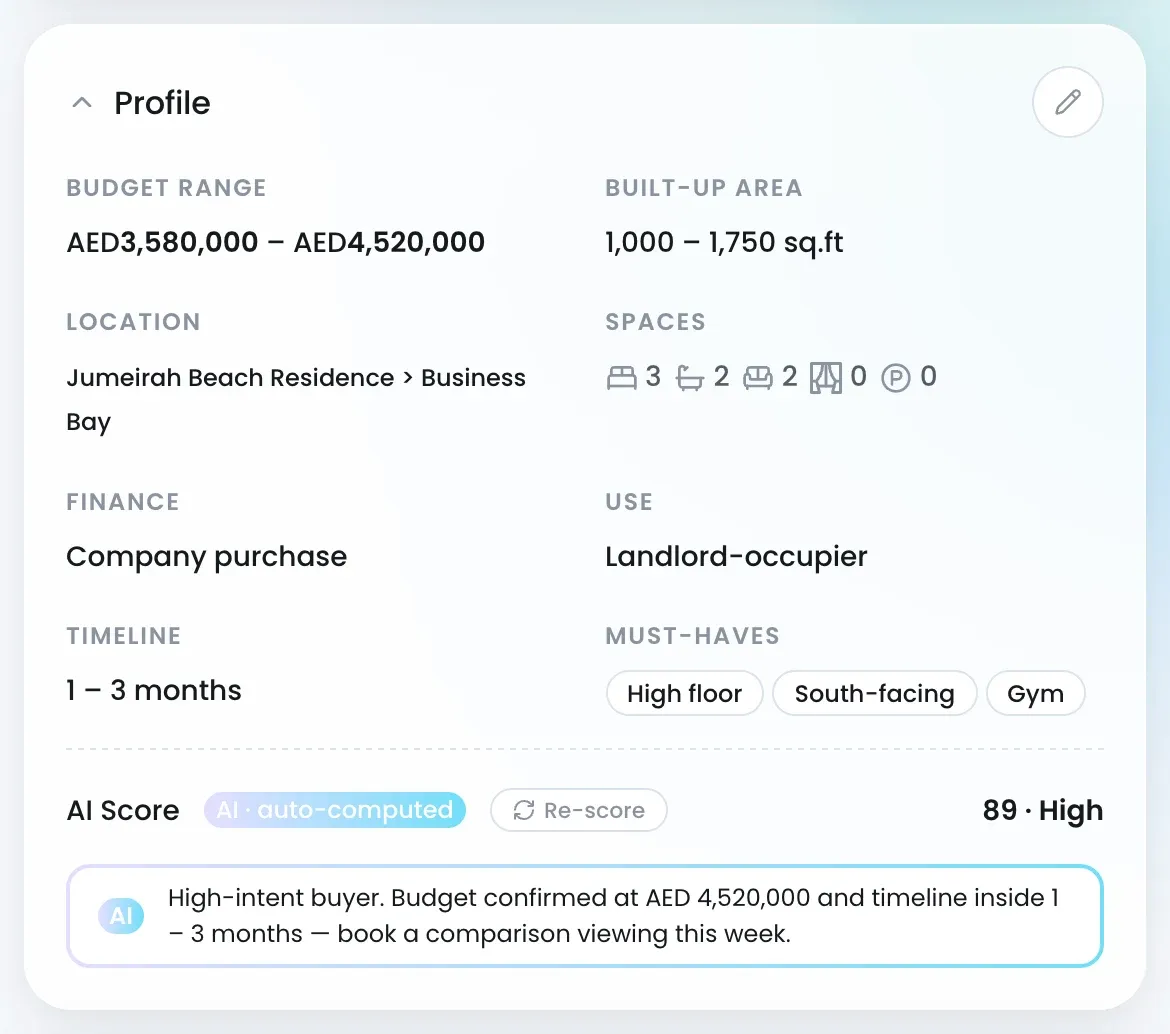
Open the contact and pick the role tab. The Profile card shows the budget, area, location, spaces and must-haves. Click the pencil to edit any of it. Sections your agency has added, such as Financial Details, sit above the profile.
What the AI Score means
Under the profile sits an AI Score. The % fit you see in AI Match is a different number and belongs to a listing. To change what matters most to the client, see Tell AI Match what matters to a client.