
The lower half of the dashboard is about what has happened rather than what’s due: the Recent Activity Logs feed, the Viewing Requests waiting for you, your Recent Active Deals and the New Listings added this week.
Recent Activity Logs
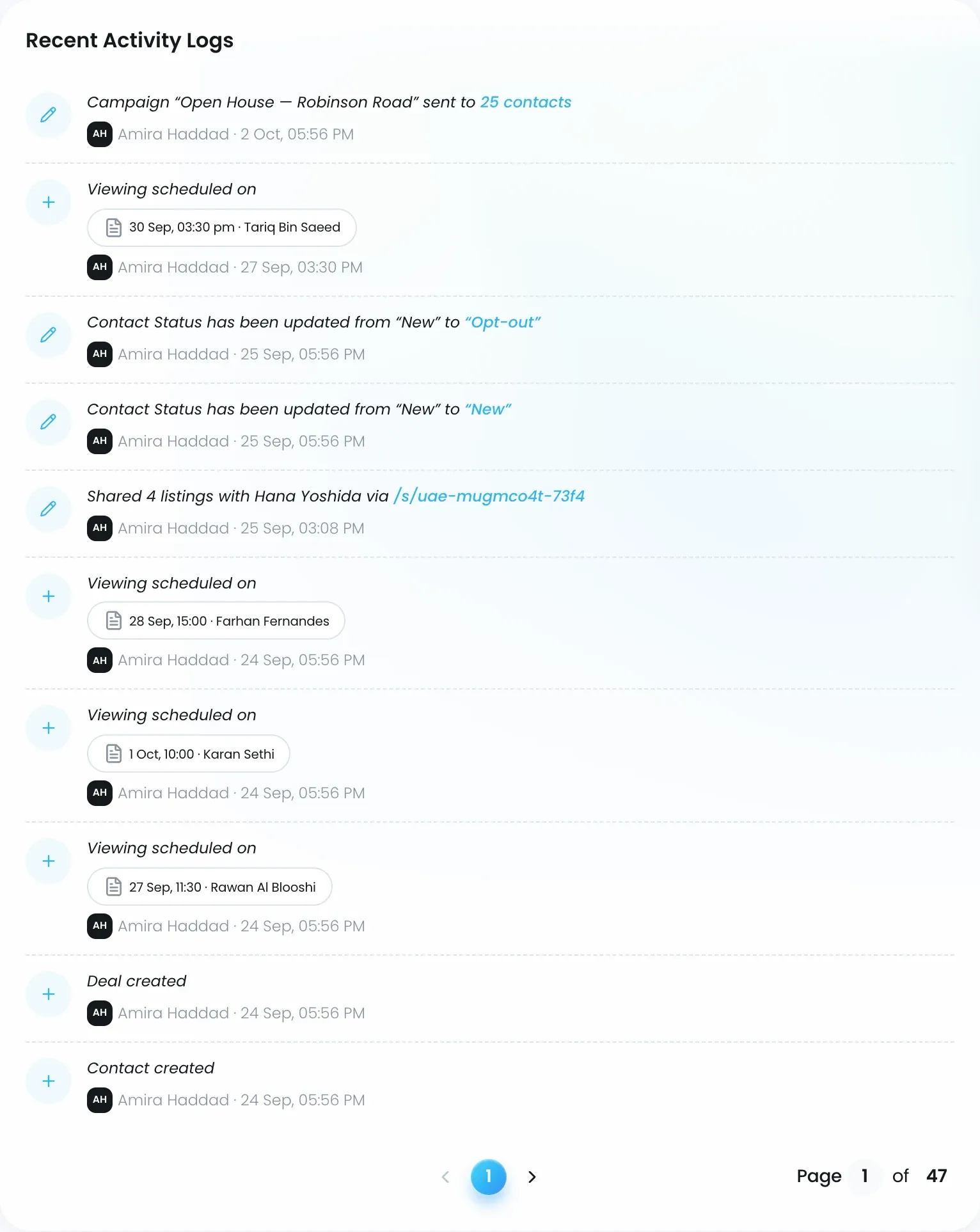
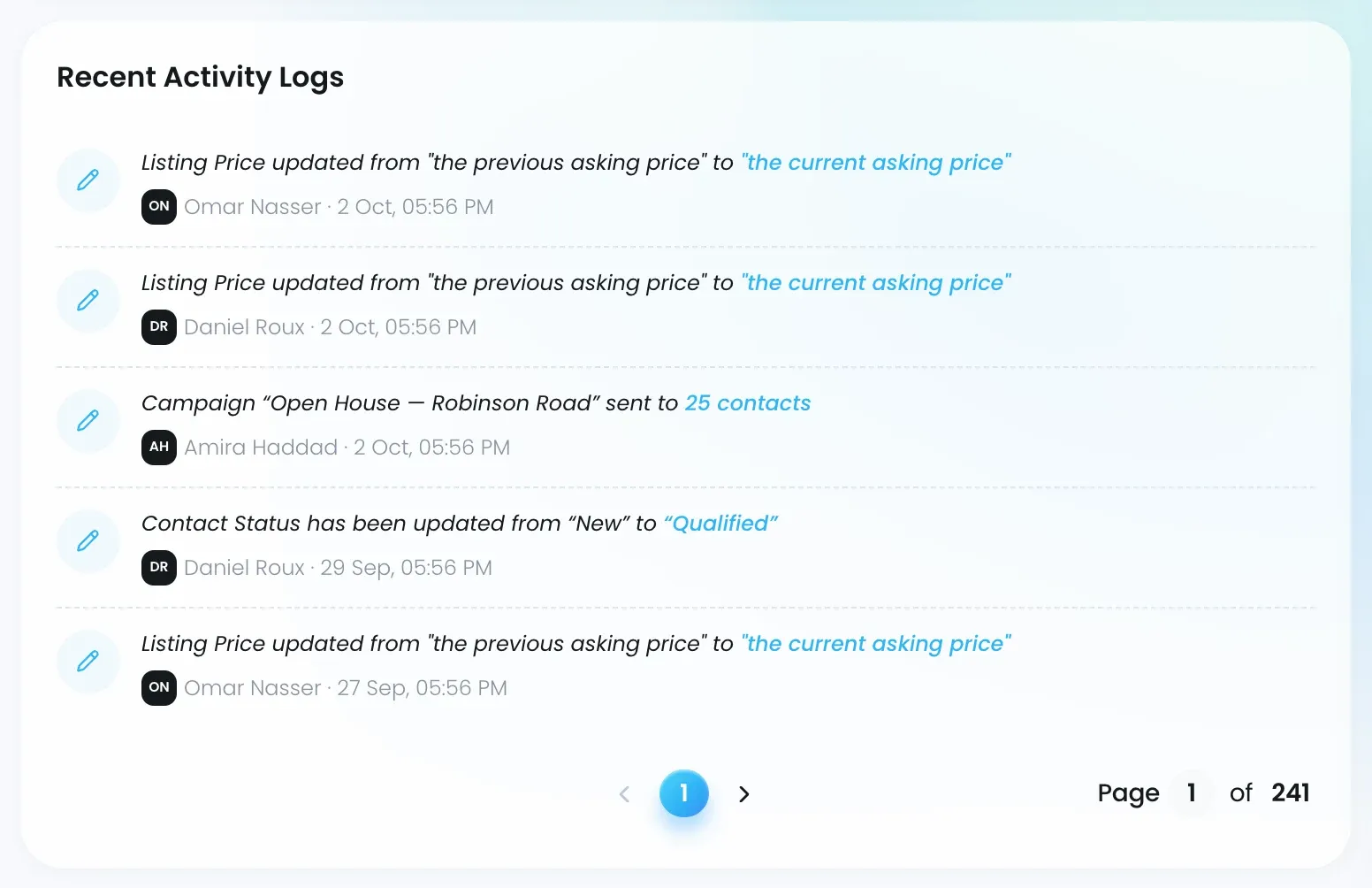
Every change in Lukkio is logged, and the feed shows the most recent ones, newest first. Each entry has:
- An icon for the kind of change: a plus for something created, a pencil for an update, a bin for a deletion.
- A one-line summary, for example “Contact Status has been updated from New to Qualified” or “Viewing scheduled on”, with the new value highlighted. Uploaded files appear as chips.
- The person who made the change, and when.
What the feed covers follows the dashboard’s scope:
| Scope | The feed shows |
|---|---|
| Personal | Your own actions |
| Team, as a Team Lead | Every action by a member of your teams |
| Team, as a Super Admin | Every action by anyone in the agency |
Viewing Requests
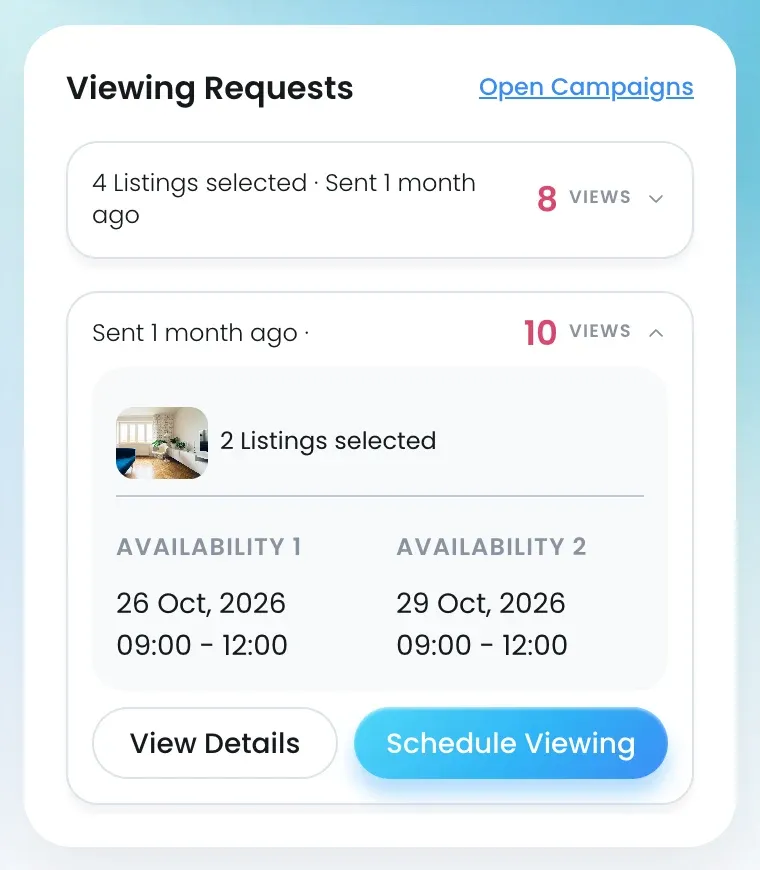
When you share listings with a client by campaign or link, the client can ask for a viewing from the page they open. Those requests land here.
Each card shows when the link was sent and how many times it was viewed. Each card also shows the listings the client picked, the availability slots they offered and any message they left. Then:
- Click View Details to see the shared listings.
- Click Schedule Viewing to book it. A viewing opens with the contact and listings filled in.
Open Campaign, at the top of the card, opens the campaign. The full list is on the Viewing Request page in Activities. See Handle viewing requests from shared links and, for sends and link views, Track a campaign’s sends and link views, and create a deal.
Recent Active Deals and New Listings
Recent Active Deals lists your open deals with their Deal ID, contact, stage, type tag (NEW DEV, SALE or RENT), property name and price. In Team scope each shows the agent. View all opens Deals. See Track deals in kanban, table or card view.
New Listings, the strip across the bottom, shows listings added this week by anyone in the agency, whatever scope you’re in, because listings are always shared. View All opens Listings.