The description is what buyers and tenants read on the portals. Fill in the facts on the listing and Lukkio writes a first draft from them, in your agency’s house style. You edit it before the listing goes live.
Before you start
- Complete Step 1: Basic Info first. Lukkio writes only from what’s on the record, so the property, location, price and size need to be there.
- If you’re a Super Admin, check the writing style under Settings → Basic Settings → AI Writing Style (see below). Everyone’s drafts follow it.
Generate the description
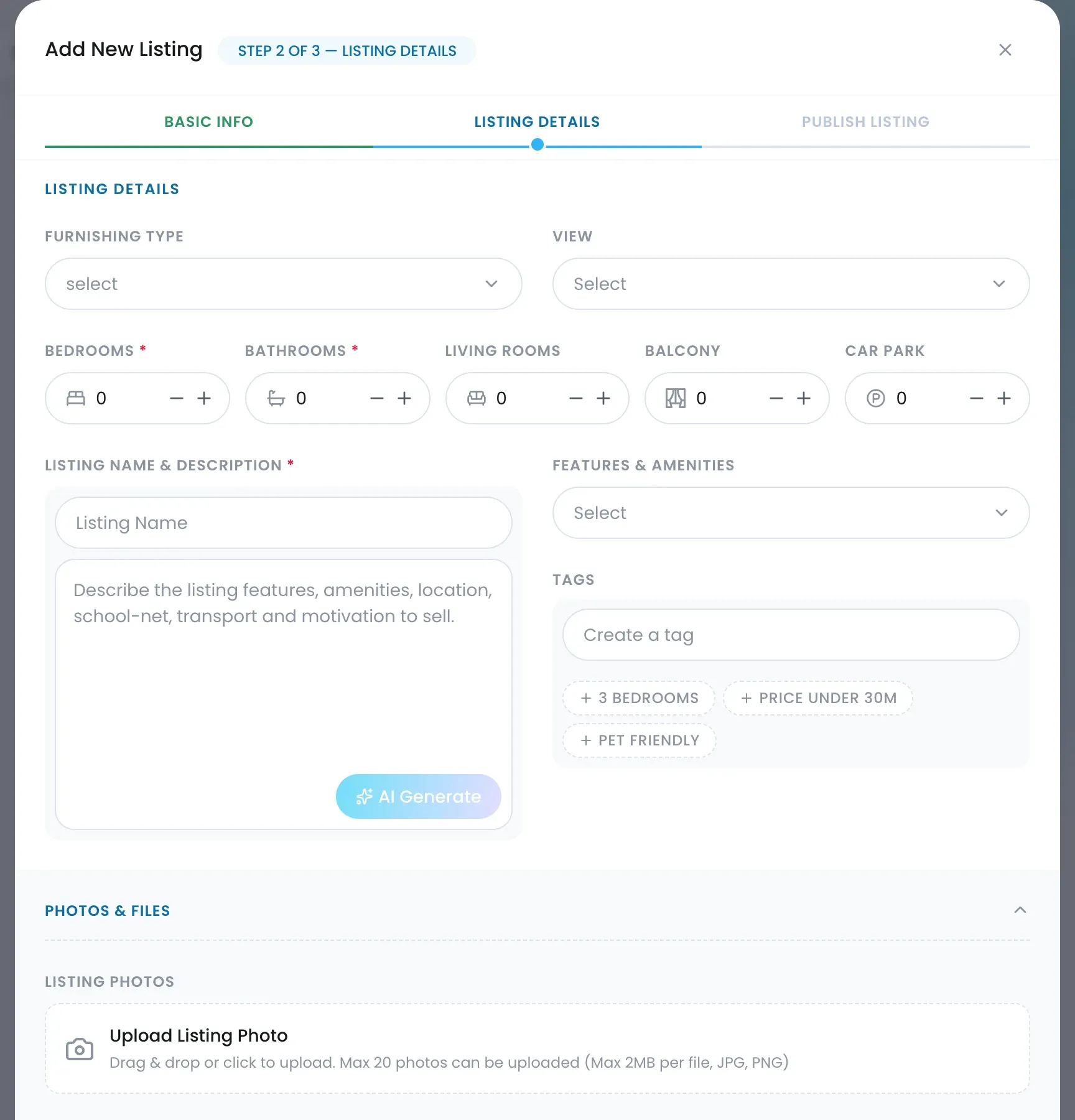
- Open Listings and click Create Listing, or open an existing listing and choose Edit from the ⋯ menu.
- Go to Step 2: Listing Details.
- Fill in Furnishing Type, View, Bedrooms, Bathrooms and the other room counts, and pick the Features & Amenities. The more you fill in, the better the draft.
- Under Listing Name & Description, click AI Generate.
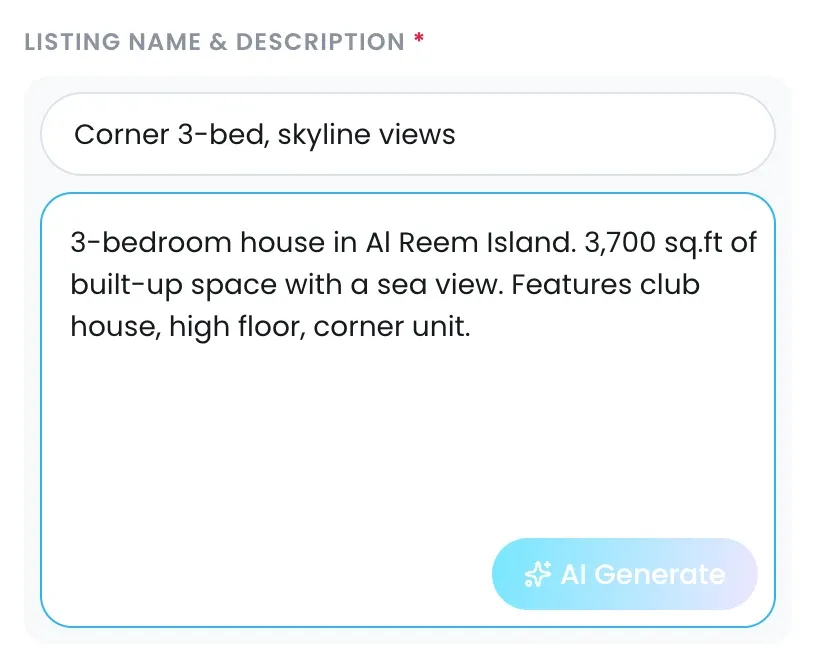
- Read the draft and edit it in the box. Fix anything that reads wrong, add what only you know about the home, and cut what you don’t want.
- Click Save & Next and finish the listing.
Write the listing name
If Listing Name is empty, AI Generate suggests one as well; it never overwrites a name you’ve typed. To write your own, type it in Listing Name above the description. Lead with the layout and the one thing that sells the home, then the building: “Corner 3-bed, skyline views”. Listing Name takes up to 70 characters. The same name goes to every portal you switch on (see Publish a listing to Property Finder, Bayut and Dubizzle).
What Lukkio uses, and what it leaves out
| Lukkio reads | Lukkio never uses |
|---|---|
| Property name and location | Commission and deposit |
| Property type, bedrooms, bathrooms, living rooms | Permit number |
| Built-up area, view, furnishing | Assigned agent and landlord details |
| Features & Amenities, price, sale or rent | Internal tags |
The draft is plain text with simple bullets and no headings or emoji, so it can go to Property Finder, Bayut or Dubizzle as it is. Drafts are in English only for now. Aim for 250 to 300 words.
Set the house style
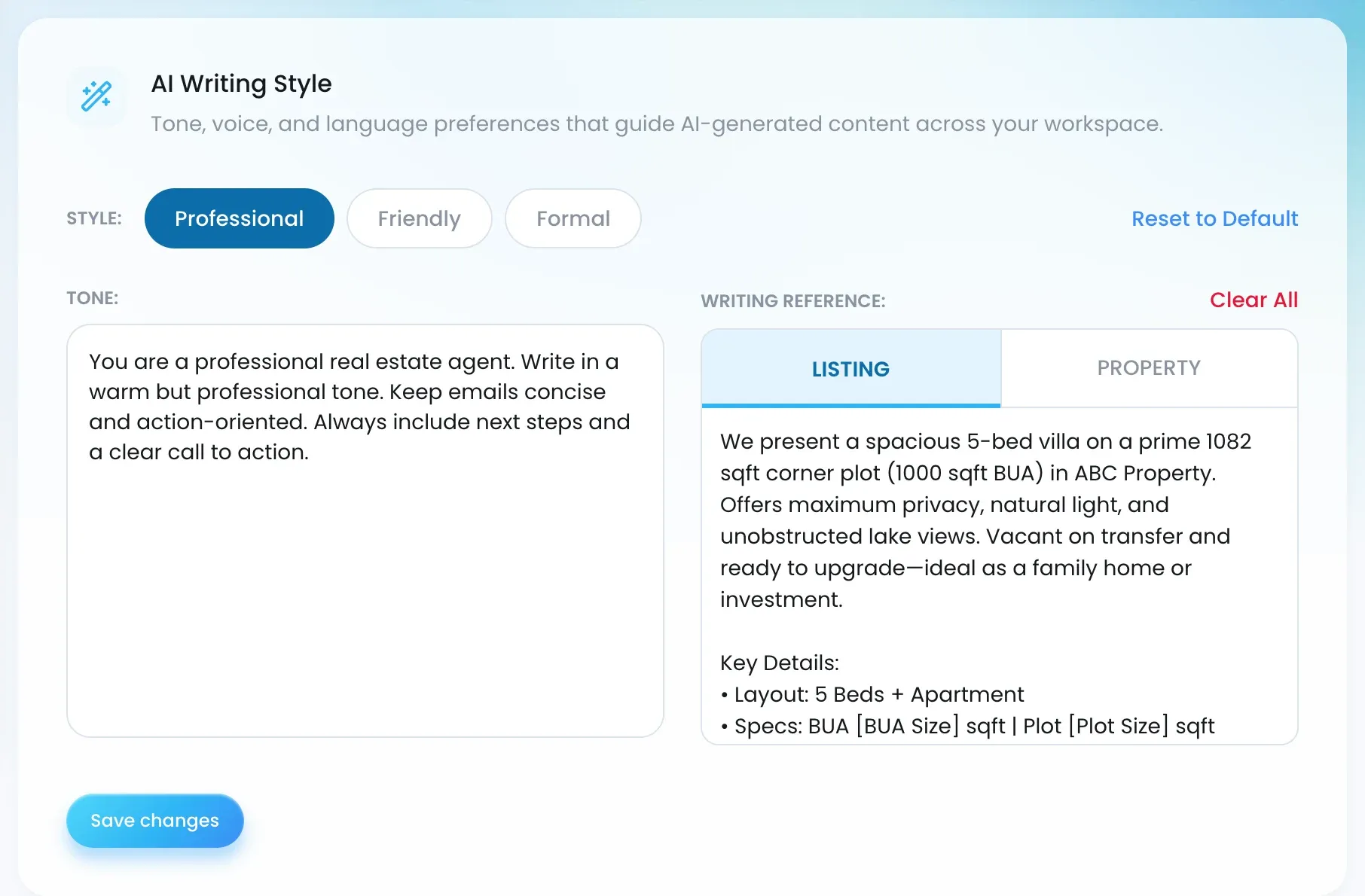
Super Admins choose how Lukkio writes for the whole agency.
- Open Settings → Basic Settings and find AI Writing Style.
- Pick a Style: Professional, Friendly or Formal.
- Edit the Tone instructions if you want Lukkio to write differently. Reset to Default restores the preset text.
- Under Writing Reference, paste an example description on the Listing tab and another on the Property tab. Lukkio copies the structure and length, never the facts. Clear All empties both.
- Save your changes.