
The Commission Estimate card on a deal is a forecast, not an invoice. It shows what the deal is likely to earn the agency and the agent at the current price. Nothing on it is typed by hand: it is worked out from the listing’s commission terms and the offers on the deal.
Where the rate comes from
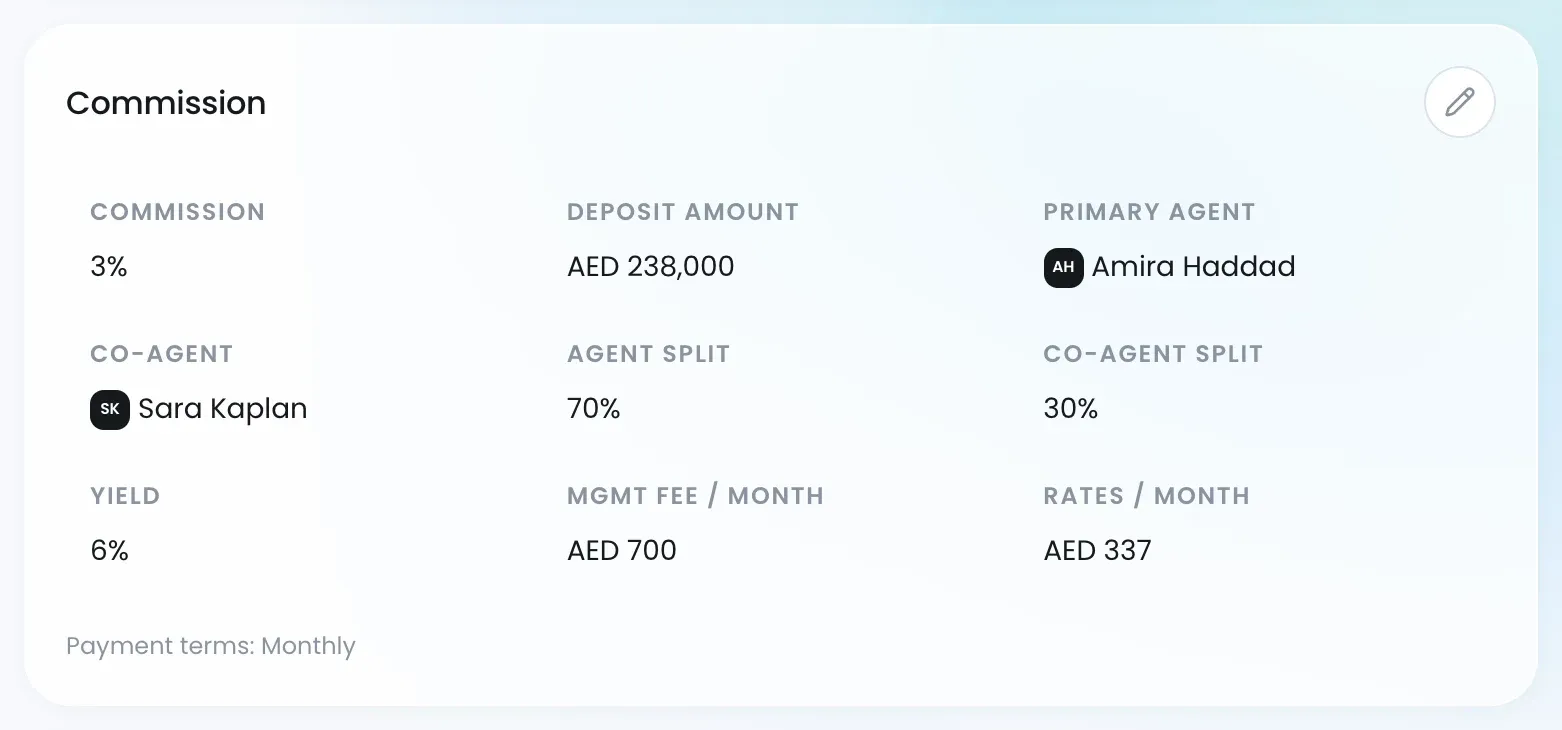
Every listing carries its own commission terms, shown in its Commission section together with the Agent Split and Co-Agent Split. The pencil there opens the listing form, where you set the Commission Type (a percentage or a fixed amount), the Commission Rate and the Agent Split, with any co-agent’s share.
Reading the card
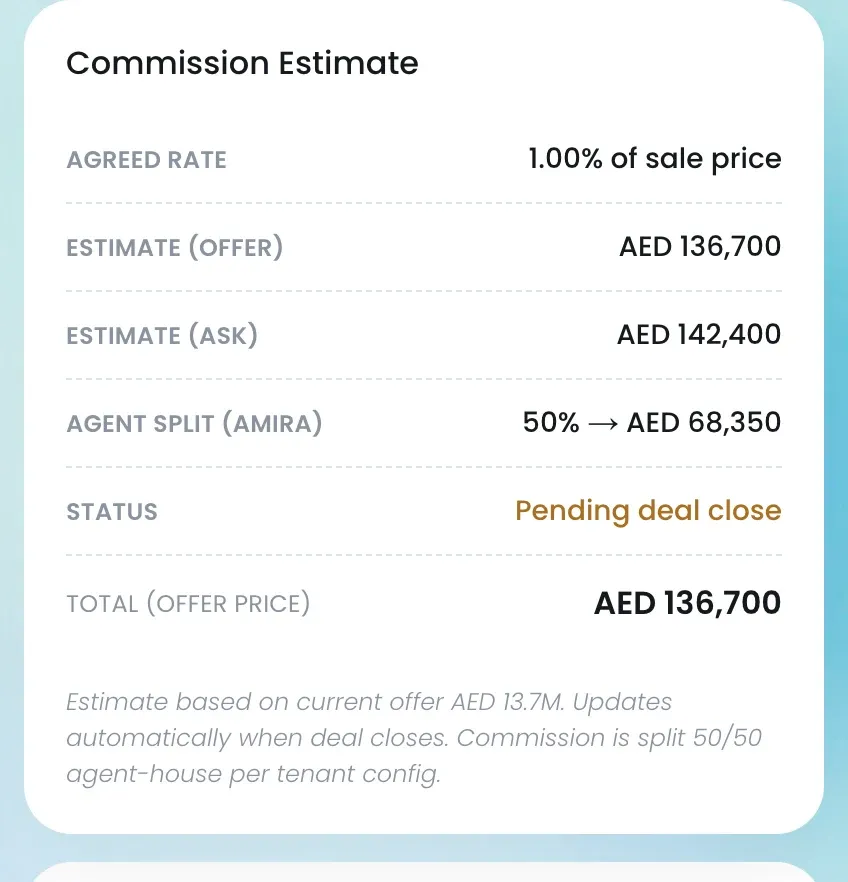
| Row | What it is |
|---|---|
| Agreed rate | The rate copied from the listing, such as “1.00% of sale price” or “AED 50,000 fixed” |
| Estimate (offer) | The rate applied to the current offer: the accepted offer, or the latest open one |
| Estimate (ask) | The rate applied to the listing’s asking price |
| Agent split | Labelled with the agent’s first name: their share of the offer estimate, as a percentage and an amount |
| Status | Appears from Reserved: Pending deal close, then Closed or Lost |
| Total (offer price) | What the deal books if it closes at the current offer |
The footnote spells out the basis: “Estimate based on current offer AED 13.7M. Updates automatically when deal closes.” For a fixed amount, the estimate is that amount whatever price is agreed.
Figures use your workspace currency (Settings → Basic Settings).
When the number becomes real
On Close Won, Lukkio fixes the commission on the deal: the deal’s offer amount times the listing’s commission split. The Status row turns to Closed. From then on the figure counts in the Commission tile on your dashboard. See What happens when a deal closes.
Where else you see it
- The New Development deal table’s Commission column shows the rate (“1.0%”) or the fixed amount.
- New Development deal cards carry a COMM 1.5% chip.
- The listing page’s Commission section, with the pencil to edit it.