
A deal is one buyer or tenant and the listings they are considering. The Deals page shows every deal three ways. Use the table to scan, the cards to browse, and the kanban board to move deals along by hand.
Pick a pipeline first
Deals are split by property type. The New Development / Resale Property switch above the list decides which deals you see and which columns show. Both pipelines use the same stages.
| New Development | Resale Property | |
|---|---|---|
| Quick tabs | All, My Deals | All, Sale, Rent, My Deals |
| Extra columns | Property Name, Developer, Commission, Available Date | Listing Type, Landlord, Buyer/Tenant |
Switch views
- Open Deals.
- Use the switch at the top right: Table, Card or Kanban.

Table is the default. The view is part of the page link, so a bookmark opens the same view again.
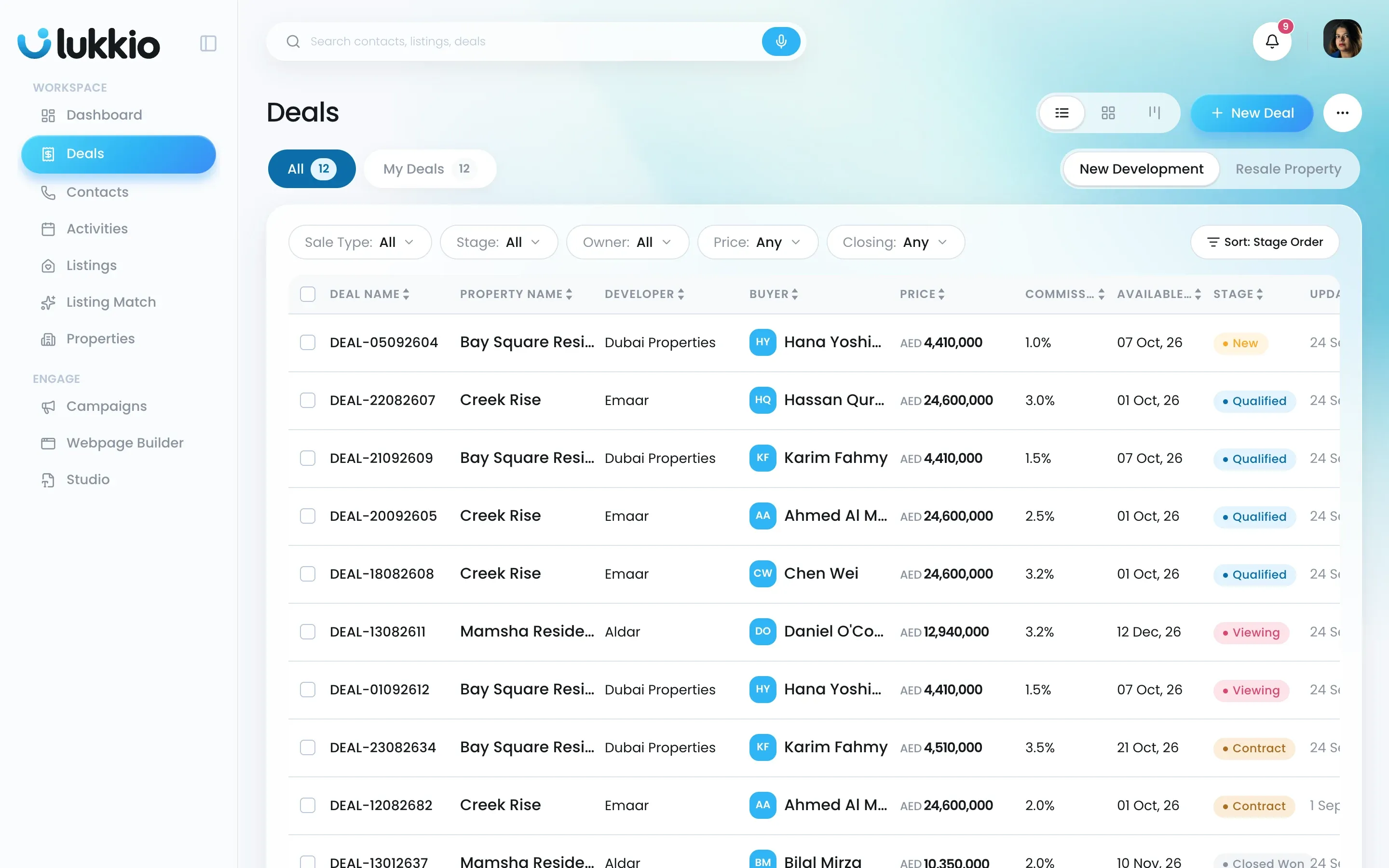
Table view
Each row is one deal: the Deal Name, the buyer or tenant, the price, the stage badge and when it was last updated. Click the Deal Name to open it. Click a column heading such as Price, Stage or Updated to sort by it.
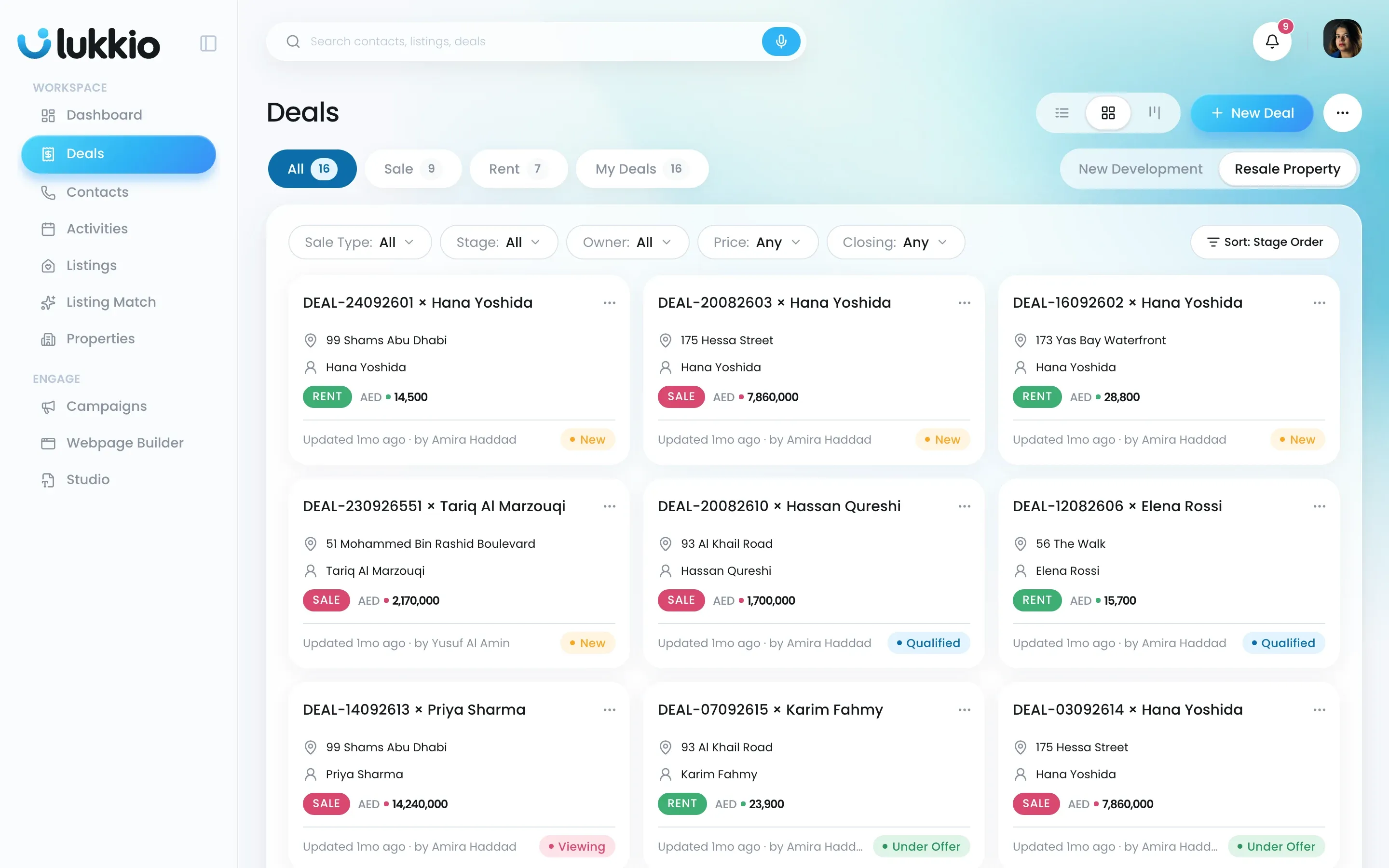
Card view
One tile per deal, with the same facts laid out for browsing: the address, the buyer, a SALE or RENT chip on Resale deals, the developer and completion quarter on New Development deals, the price and the stage badge. The footer shows who last touched it and when.
Kanban view
One column per open stage, with a count in the header and an Add deal shortcut that starts a new deal already set to that stage. Closed deals sit in a collapsed last column, Close Won / Close Lost, in both pipelines; click Show all to see them.
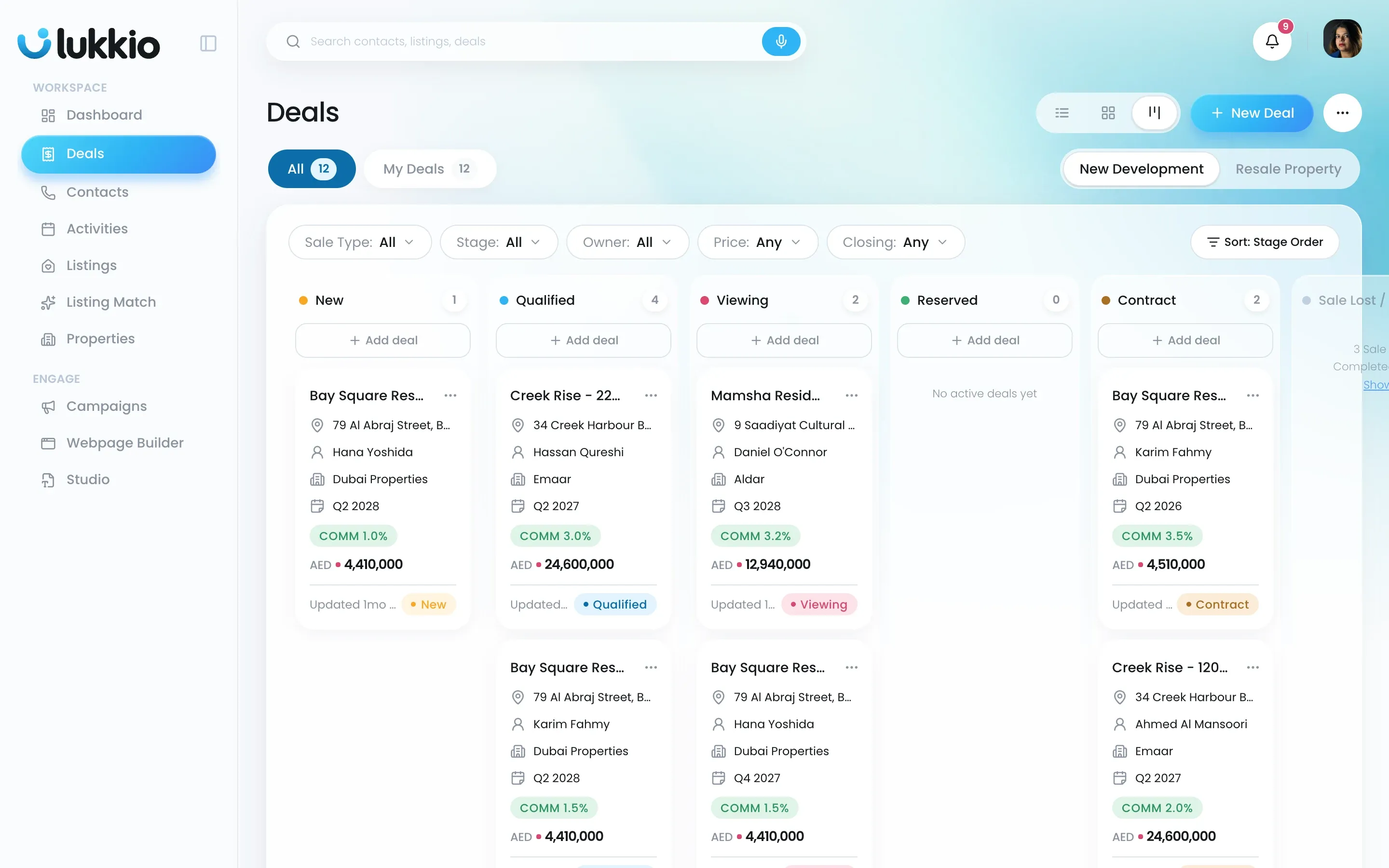
To move a deal:
- Drag its card to another column.
- Drop it. Lukkio confirms the new stage in a toast.
See Move a deal through its stages.
Filter and sort
The filter bar works in every view:
- Sale Type (Resale only): Sale or Rent.
- Stage: pick one or several.
- Owner: the agent on the deal.
- Price: ranges built from your own deals.
- Closing: This month, Next 30 days, Next 90 days or a Custom range.
- Sort: Stage Order (default), Recently updated, Price: High to Low, Price: Low to High or Closing soonest.